 Lumen Master
Run the rigfrom your phone
Lumen Master is a DMX console for iPhone, iPad and Android. It sends Art-Net over Wi-Fi to your nodes, so you can patch fixtures, build looks and run cues without hauling a desk.
Cue list 1 What it does
Four cues,
start to finish
- Q2Patch2.0
Patch the rig from real profiles
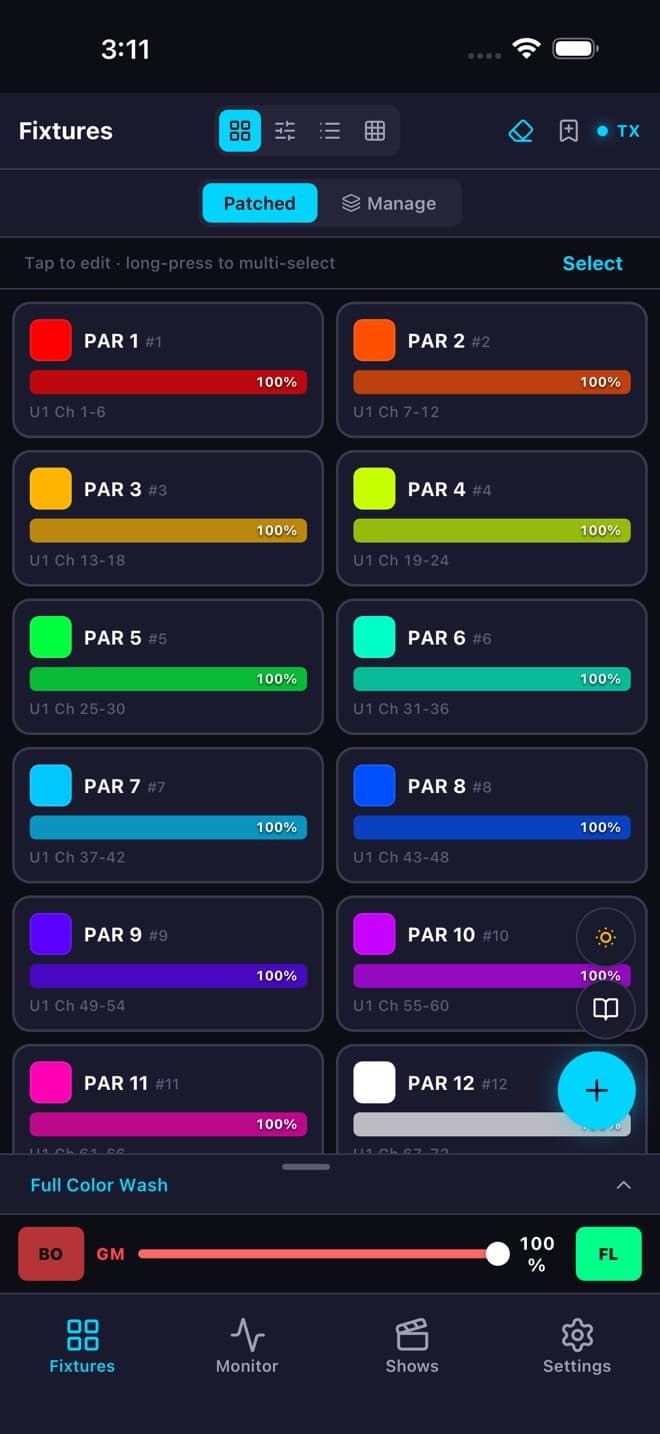
Pull fixtures from GDTF files or the Open Fixture Library, give them a universe and address, and the patch flags overlapping channels before you go live.
- Q3Color3.0
Pick colors, not channel numbers
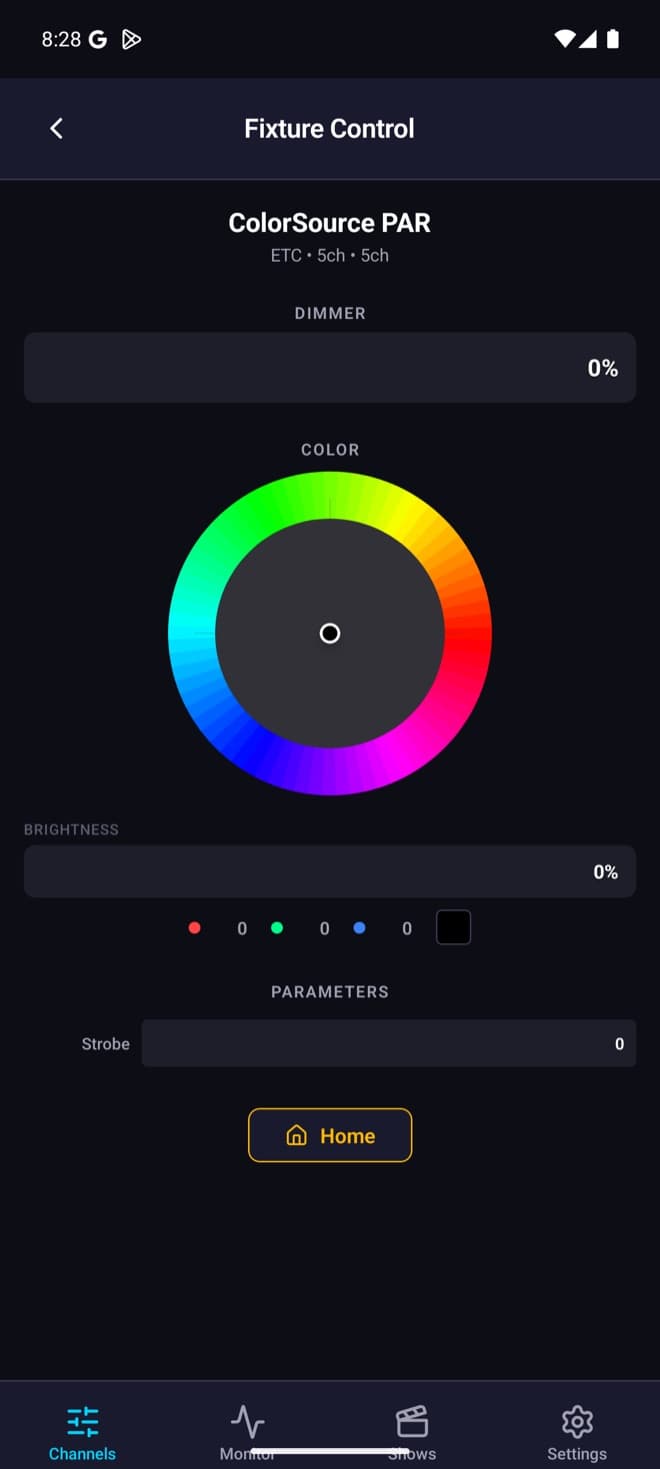
Tap a fixture to get its dimmer, a color wheel and the rest of its parameters, mapped onto whichever RGB, RGBW or CMY channels that fixture actually has.
- Q4Shows3.0
Scenes, playbacks and cue lists
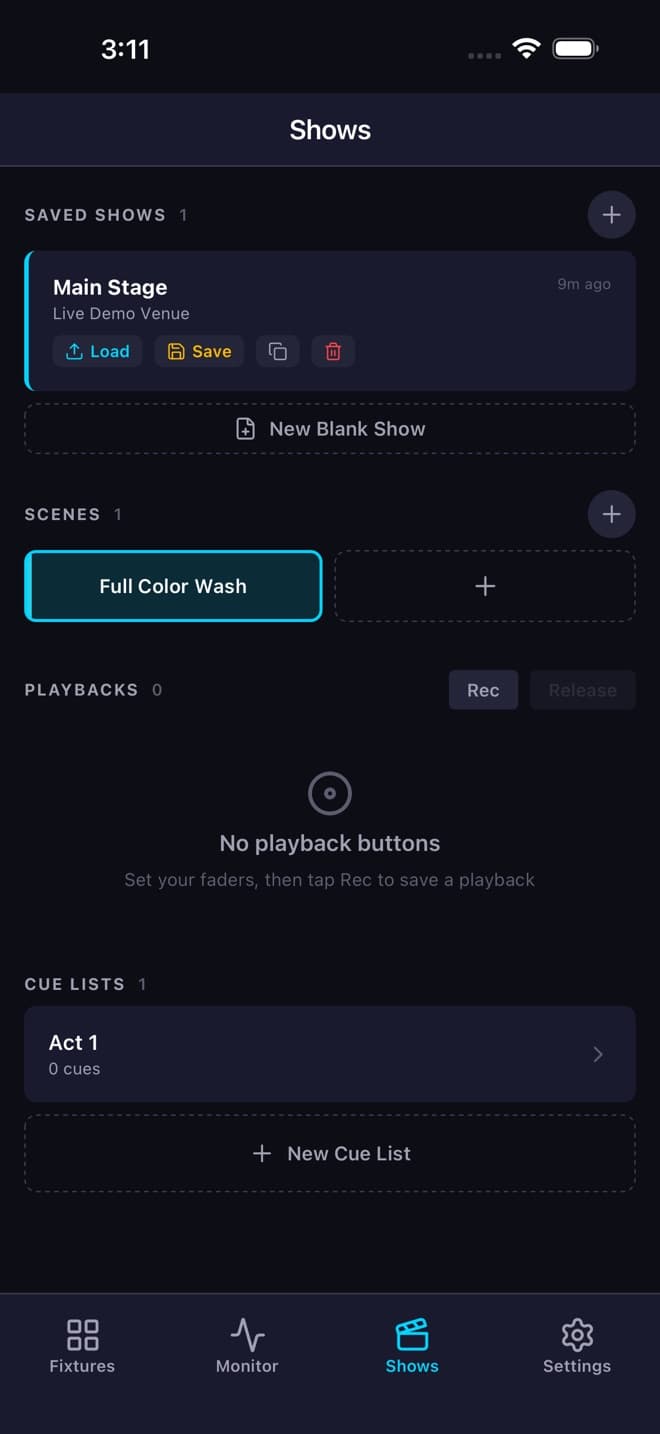
Record a look as a scene with its own fade in and out, drop it on a playback button, or build a cue list for the act. Shows save as a whole and load back in one tap.
- Q5Output0.0
Watch every channel leave the phone
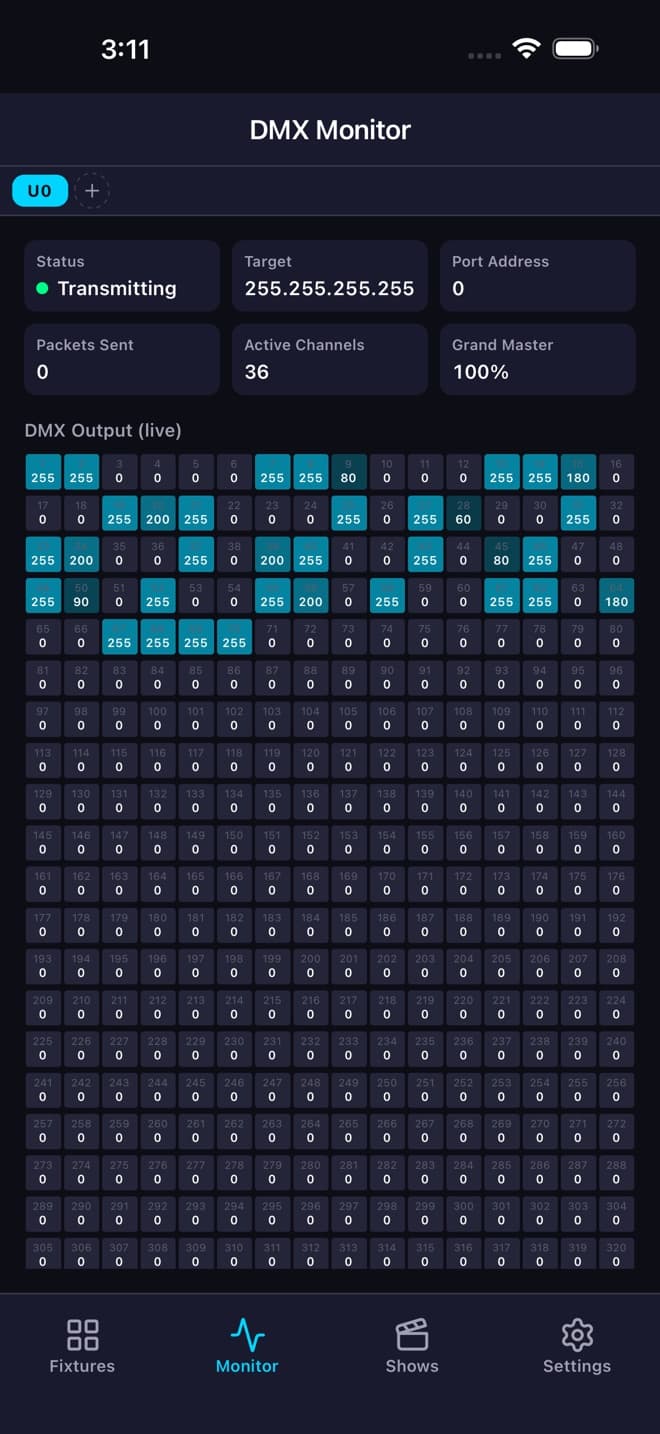
The monitor shows all 512 channels of each universe as they go out, with target IP, port address and packet count. When a light doesn't respond, you know whether it's the phone or the network.
Q6 Your turn
Push a fader
This is a four-channel RGB PAR on channels 1–4. Drag the faders, hit GO to fade through a few looks, and watch the values the app would put on the wire.
ArtDmx → 2.0.0.20:6454 · U0
001:000 002:000 003:000 004:000 005–512:000
Q7 Spec sheet
What works today,
what doesn't yet
It's a beta. Here's what's in the build testers are running now, and what isn't there yet, so you can tell whether it fits your rig before you sign up.
In the build
- Art-Net output, unicast or broadcast, throttled to 44 Hz
- ArtPoll discovery of nodes on the network
- Up to 4 universes
- GDTF import, plus Open Fixture Library and GDTF-Share browsing
- Patch with overlapping-channel detection
- Color control for RGB and RGBW fixtures
- Scenes with their own fade in and out times
- Playback buttons and cue lists
- Effects engine: dimmer, color and movement waveforms with rate, spread and phase
- Keypad selection with Solo, Next and Previous
- Grand master, blackout and flash
- Live DMX monitor for every universe
Not there yet
- sACN / E1.31
- RDM
- A separate programmer with HTP/LTP merge (in progress)
- Tracking cue lists
- MVR import and export
Needs an Art-Net node or Art-Net fixtures on the same Wi-Fi network as your phone.
Q8 Free & Pro
Free to run a small rig
The free tier covers a couple of universes and a small patch. Pro removes the limits.
Beta testers get Pro at no cost while the beta runs.
Q9 Who's behind it
One developer,
real rigs
I'm Paulo, and Lumen Master is a one-person project. The recent builds have been about making it behave the way a lighting programmer expects: releasing a playback returns channels to their home values instead of zero, the grand master only scales intensity, and Solo on the keypad walks through a group one fixture at a time.
If something misbehaves on your rig, the reply comes from the person who writes the code.
— Paulo Guerra
Q10 GO
Put it on
your rig
Pick your platform and I'll send you in. Android testers get a Google Play opt-in link; iOS testers get a TestFlight invite.
- You'll need: an Art-Net node or fixtures on your Wi-Fi
- You get: Pro for the length of the beta
- I'd love: to hear what breaks, or what feels wrong compared to your desk